

A quick-service restaurant point of sale system is a specialised technology platform engineered to process high volumes of orders, payments, and kitchen instructions at speed. Unlike a general retail till, a QSR POS system is built around the specific demands of fast-food and takeaway environments: rapid transaction cycles, multi-channel order intake, and real-time kitchen coordination. With QSR POS systems explained in this guide, you will understand the core features, operational benefits, and practical steps for choosing and implementing the right system for your restaurant. PCI DSS compliance and UK hospitality standards shape what any credible system must deliver.
What are the essential features of a QSR POS system?
A high-performing QSR point of sale system does far more than process card payments. Modern QSR POS platforms integrate order entry, payment processing, kitchen display system routing, real-time inventory management, and multi-channel reporting into a single interface. That integration is the difference between a system that supports your team and one that creates extra work.
The core features every QSR operator should expect include:
- Order entry modes: Counter terminals, self-service kiosks, and online ordering channels must all feed into one unified queue. Kiosks in particular reduce counter congestion during peak hours.
- Kitchen display systems (KDS): A KDS replaces paper tickets with a live digital screen at each kitchen station. Digital ticketing systems improve order fulfilment speed, reduce lost tickets, and surface data on bottlenecks in real time.
- Multi-channel order aggregation: Delivery orders from third-party platforms must route directly into the KDS. Fragmented workflows caused by separate devices for third-party orders create inefficiency and errors. Systems that sync delivery orders directly into the KDS eliminate manual re-entry entirely.
- Inventory and menu management: Real-time inventory tracking connected to sales data allows proactive stock management and minimises waste. Low-stock alerts prevent shortages during your busiest periods.
- Payment processing: Accepted methods should include contactless, chip and PIN, mobile wallets, and cash. Offline mode is non-negotiable for maintaining service during connectivity issues.
- Reporting and analytics: Sales by hour, item, and channel give you the data to make staffing and menu decisions with confidence.
Pro Tip: Avoid any system that lacks native delivery platform integration. Manually entering third-party orders into a separate terminal doubles your error rate and slows your kitchen.
How does a QSR POS system improve operational efficiency?
Speed and accuracy are the two metrics that define a quick-service restaurant. A well-configured QSR POS system improves both, directly and measurably.
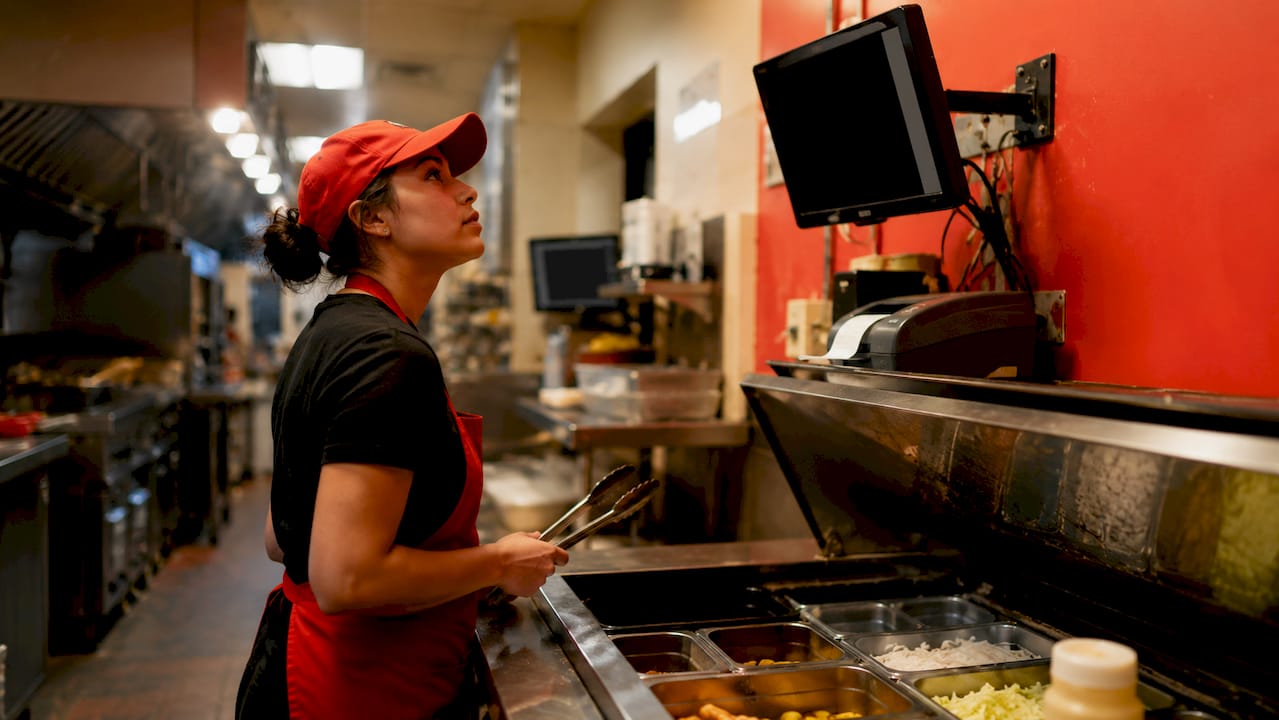
Faster order processing reduces queue length at the counter. When a cashier can enter a complex order with modifiers in under 20 seconds, the customer behind them waits less. Self-service kiosks extend that capacity further by running parallel order streams without additional staff. Upselling through kiosks can raise average transaction value by 15–20%. That is a meaningful revenue gain without adding headcount.
Kitchen coordination improves significantly with a KDS in place. Orders appear on screen the moment they are placed, routed to the correct station automatically. Kitchen staff no longer chase paper tickets or shout across the pass. The result is fewer errors, faster fulfilment, and a calmer working environment.
Inventory tracking is where many operators underestimate the financial impact. When your POS connects stock levels to live sales data, you can see exactly when a menu item is running low before it runs out. That prevents the awkward conversation with a customer who has already ordered. It also reduces over-ordering, which cuts food waste directly.
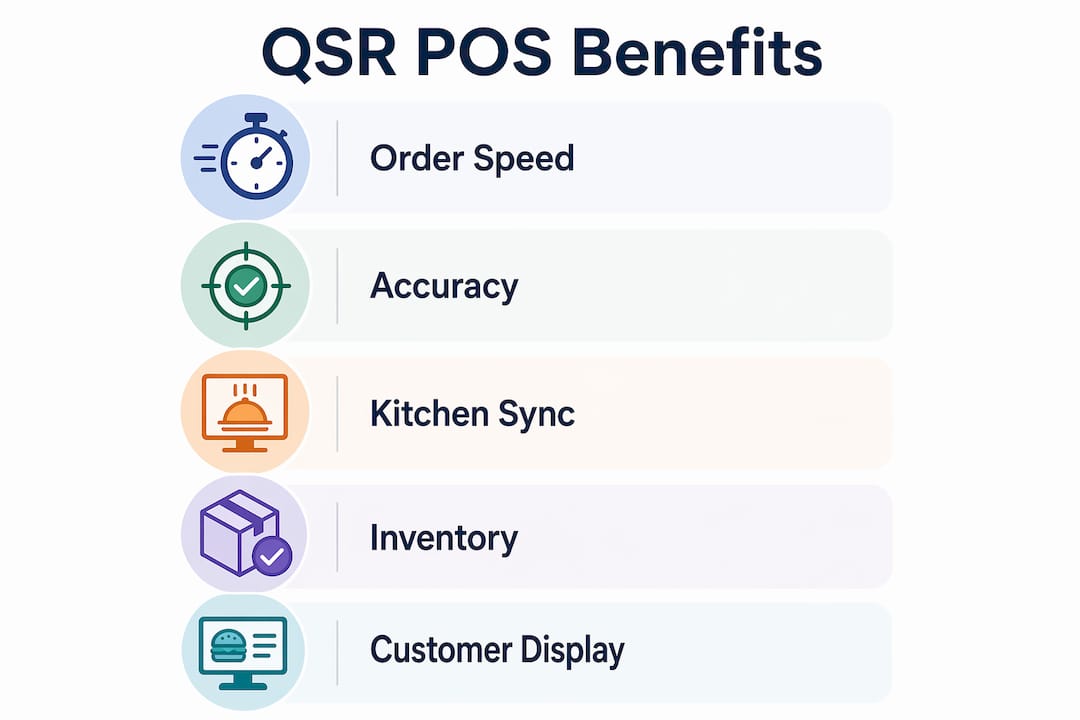
Customer-facing displays and loyalty features round out the experience. A screen showing the customer their order as it is entered reduces disputes and builds trust. Loyalty programmes integrated into the POS encourage repeat visits without requiring a separate app or card system.
Pro Tip: Use your POS analytics to monitor your labour-to-sales ratio by hour. If your system shows a consistent sales dip between 2PM and 4PM, you can reduce staffing during that window and redeploy those hours where they generate more revenue.
For a broader view of how POS workflows translate across hospitality settings, the retail POS workflow guide from Ycr covers the underlying process logic that applies equally to QSR environments.
What integration and technology considerations should QSR operators prioritise?
The architecture of your POS system determines how it behaves when things go wrong. Cloud-only systems offer remote management and automatic updates, but they depend entirely on your internet connection. Hybrid local and cloud architectures offer the best reliability for QSR operators. They process transactions locally and sync data to the cloud when connectivity is restored.
A strong offline mode is critical for lunch rush scenarios. If your connection drops at 12:30PM on a Friday, a system without offline capability stops your entire operation. A hybrid system keeps taking orders and payments without interruption.
Integration depth determines value. Retrofitting unsupported hardware doubles implementation time and introduces compatibility risks. Native connectivity with your existing tech stack, including delivery platforms and payment processors, reduces both setup difficulty and ongoing error rates.
The table below compares key integration features across common QSR technology needs:
| Integration area | What to look for | Why it matters |
|---|---|---|
| Delivery platforms | Native sync with major apps | Eliminates manual re-entry and reduces errors |
| Payment processing | Multi-method, offline capable | Maintains service during connectivity loss |
| Kitchen display system | Real-time, station-specific routing | Speeds up fulfilment and reduces mistakes |
| Inventory management | Live stock deduction per sale | Prevents shortages and reduces waste |
| Reporting and analytics | Cloud-accessible, multi-location | Supports remote management and benchmarking |
| API availability | Open or documented API | Allows future integrations and automation |
Hardware durability is a factor that operators often overlook until something breaks. Kitchen environments involve heat, moisture, and heavy use. Terminals and printers must be rated for that environment. Ycr distributes SAM4S hardware, which is built specifically for demanding hospitality settings.
Pro Tip: Ask any POS vendor for their API documentation before signing a contract. If they cannot provide it, your ability to integrate future tools, such as loyalty platforms or accounting software, will be severely limited.
For a detailed breakdown of how POS integration works across restaurant systems, the POS integration guide from Ycr covers the technical and operational considerations in plain language.
How to choose and implement a QSR POS system
Choosing the right system starts with an honest assessment of your operation. The right POS for a single-site takeaway differs significantly from the right POS for a multi-site burger chain. No single system suits all operators. Selection should be based on your scale, expected order volume, and budget.
Follow these steps to make a sound decision:
- Map your daily workflow. Identify every point where an order is placed, modified, prepared, and paid for. Note where delays or errors currently occur. Your POS must address those specific friction points.
- Calculate total monthly cost. Software subscriptions, hardware, and payment processing fees all contribute to your real cost. Software subscription costs for major QSR POS platforms range from free at entry level to around £80 per month, with payment rates varying by provider. Add hardware amortisation and support fees to get an accurate monthly figure.
- Evaluate vendor support. A POS failure at noon on a Saturday is a crisis. Your vendor must offer same-day support with a clear response time commitment. Check contract terms for lock-in periods and exit clauses before signing.
- Plan staff training carefully. QSR environments have high staff turnover. Your POS interface must be learnable in under an hour. If a new team member cannot process an order confidently after a short briefing, the system is too complex for your environment. Resources on efficient staff onboarding in fast-paced settings can help you structure that process.
- Stage your implementation. Do not switch systems during your busiest trading period. Run parallel systems for a short period if possible, and schedule the full cutover for a quieter trading day.
The most common pitfalls are neglecting delivery integration and underestimating hardware requirements. A system that handles counter orders brilliantly but cannot receive delivery app orders natively will create a two-screen problem that slows your kitchen and frustrates your staff.
For a structured approach to the full setup process, the restaurant POS implementation guide from Ycr walks through each stage from hardware installation to staff go-live.
Pro Tip: Before committing to any system, request a live demonstration using your actual menu, including your most complex modifier combinations. A demo with a generic menu tells you nothing about how the system will perform in your specific environment.
Key takeaways
A QSR POS system is the operational backbone of any quick-service restaurant, and choosing one without evaluating integration depth, offline capability, and total cost is the most expensive mistake an operator can make.
| Point | Details |
|---|---|
| Integration is the priority | Native delivery platform sync eliminates manual re-entry and reduces kitchen errors. |
| Hybrid architecture wins | Local processing with cloud sync maintains service during internet outages. |
| Total cost includes more than software | Add hardware, processing fees, and support costs to calculate your real monthly spend. |
| KDS transforms kitchen speed | Real-time digital ticketing reduces lost orders and surfaces bottleneck data. |
| Training time determines adoption | Choose a system your staff can learn in under an hour to support high turnover environments. |
What I have learned from watching operators choose the wrong system
The most consistent mistake I see QSR operators make is choosing a POS based on price alone, then discovering six months later that the system cannot talk to their delivery apps. At that point, they are running two screens side by side, manually copying orders from a tablet into the till, and wondering why their kitchen is slower than before they invested in new technology.
The second mistake is underestimating how much the hardware matters. A touchscreen terminal that works perfectly in a dry office environment will fail within months in a kitchen with steam, grease, and constant physical contact. The cost of replacing hardware mid-contract is almost always higher than the cost of buying the right hardware at the start.
What I have found actually works is starting with the kitchen, not the counter. Ask your kitchen team where orders get lost or delayed. The answer tells you exactly which POS features you need most. If the answer is “we lose track of modifications,” you need a KDS with modifier display. If the answer is “delivery orders pile up separately,” you need native delivery integration as your first requirement.
The data your POS generates is only valuable if someone reads it. Operators who check their hourly sales and labour reports weekly make better staffing decisions, reduce waste, and catch menu problems early. Operators who ignore the reporting module are paying for a feature they never use. The system is only as good as the habit you build around it. Ycr’s guidance on choosing a POS system for UK restaurants reflects exactly this approach: match the system to the operation, not the other way around.
— John
Ycr’s POS solutions for quick-service restaurants
Ycr has supported UK hospitality businesses for over three decades, and its product range is built around the practical demands of fast-paced food service environments.

The SAMTOUCH POS software with hardware bundle gives QSR operators a complete, ready-to-run system designed specifically for hospitality. For operators who need durable counter hardware, the SAM4S NR520F cash register is built for high-volume, fast-service environments. Ycr also offers an SSD refund option on select products, reducing upfront costs for operators watching their capital expenditure. Contact Ycr directly to discuss which configuration fits your site, your volume, and your budget.
FAQ
What is a QSR POS system?
A QSR POS system is a point of sale platform built specifically for quick-service restaurants, combining order entry, payment processing, kitchen display routing, and reporting in one system. It is designed for high transaction volumes and fast service cycles.
How does a KDS differ from a standard kitchen printer?
A kitchen display system shows live order status on a screen at each station, allowing staff to mark items as complete and track fulfilment in real time. A standard printer produces a paper ticket that can be lost, misread, or ignored.
What does offline mode do in a QSR POS system?
Offline mode allows the system to continue processing orders and payments locally when the internet connection is lost. Data syncs to the cloud automatically once connectivity is restored, preventing any loss of transaction records.
How much does a QSR POS system cost per month?
Software subscription costs range from free at entry level to around £80 per month, depending on the platform and feature set. Payment processing fees, hardware costs, and support contracts add to the total monthly spend.
Why does delivery platform integration matter so much?
Without native integration, delivery orders must be manually entered into the POS or KDS, which increases errors and slows the kitchen. Systems that sync delivery orders directly into the kitchen display eliminate that duplication entirely.