

Restaurant table management systems are categorised into three operational tiers: standalone, mid-range, and enterprise, each built for a different scale of service. Choosing the wrong tier costs you covers, staff time, and guest loyalty. The right system acts as the operational heartbeat of your venue, centralising bookings, waitlists, and real-time floor data into one place. This guide breaks down every tier of the types of restaurant table management systems available in 2026, so you can match the right tool to your operation without guesswork.
1. What are the types of restaurant table management systems?
Restaurant table management software divides into three tiers: standalone, mid-range, and enterprise. Each tier differs in price, automation depth, integration capability, and the size of operation it suits. Understanding these tiers is the fastest way to eliminate options that will either under-serve or over-complicate your venue.
The three tiers map to three distinct operational realities. A 30-seat neighbourhood bistro has nothing to gain from a multi-venue CRM platform. Equally, a 200-cover city-centre restaurant running three sittings a night will outgrow a basic reservation list within weeks. The tier framework exists precisely to prevent those mismatches.
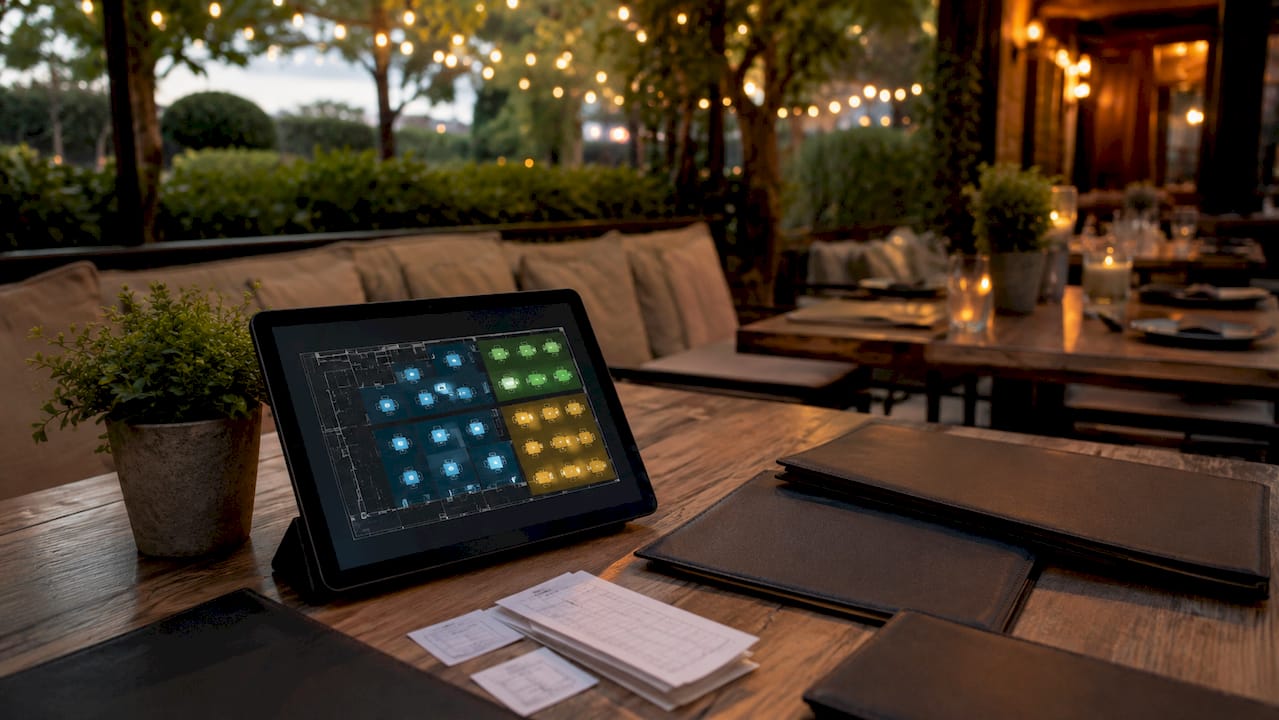
Every tier shares a common purpose: reducing the manual overhead of seating guests, tracking table status, and managing reservations. Where they diverge is in how much of that work they automate, how deeply they connect to your POS, and how much data they give you to act on.
2. Standalone table management systems
Standalone systems are the entry point for restaurant seating management tools. They are typically free or low-cost, often built directly into a basic POS terminal, and handle simple reservation lists and manual seating assignments. Many small venues already have access to one without realising it.
The feature set is deliberately limited. You get a reservation log, a basic seating list, and sometimes a static floor plan view. There is no automated SMS confirmation, no dynamic waitlist calculation, and no reporting dashboard. Standalone systems often lack visual floor maps and advanced features, which increases manual errors and operational friction as your venue grows.
Who should use a standalone system:
- Restaurants with fewer than 50 seats
- Venues with low reservation volumes, such as neighbourhood cafés or takeaways
- Operators who want zero monthly software cost
- Businesses where the owner or manager personally manages all front-of-house
The trade-off is clear. You save money upfront but absorb the cost in staff time and occasional errors. A host manually tracking a waitlist on paper or a basic spreadsheet is doing work that a mid-range system would handle automatically.
Pro Tip: If you are using a standalone system, audit your average table turn time every month. Inaccurate turn time data is the single biggest source of guest wait-time errors, and it costs you nothing to fix.
3. How mid-range platforms improve independent restaurants
Mid-range systems are the most widely adopted category of digital table management solutions for independent restaurants. They typically cost in the region of £40–£120 per month and deliver a meaningful step up in automation, accuracy, and reporting compared to standalone tools.
The headline feature is automated SMS confirmation. Automated SMS confirmations reduce no-show rates by 45–60% and replace 30–50 minutes of manual calls per day from host staff. That time saving alone often justifies the monthly subscription within the first week of use.
Core features at this tier include:
- Automated SMS and email reservation confirmations
- Dynamic waitlist management with real-time estimated wait times
- Visual floor plan with live table status
- Section assignment and server rotation tools
- Basic reporting on covers, turn times, and peak periods
Waitlist accuracy is a critical differentiator at this tier. Dynamic wait-time calculation draws on current occupancy, average turn times, and incoming reservation volume rather than a static estimate. That accuracy cuts customer walk-aways by 25–35% and saves 30–50 minutes of daily staff time. Those are not marginal gains. They translate directly into more covers served and fewer frustrated guests leaving before they are seated.
Pro Tip: Feed your actual average turn times into the system from day one. Mid-range platforms calculate wait estimates from this data, and a wrong input produces wrong outputs that drive guests away.
Mid-range systems suit independent restaurants with 50–150 seats, moderate reservation volumes, and a front-of-house team of two or more. The return on investment is typically realised within one month through reduced no-shows and improved table turns.
4. Enterprise table management for high-volume restaurants
Enterprise systems are built for restaurants operating at scale: multiple locations, high covers, and complex guest relationship requirements. Monthly costs typically run from £160 to £400 or more, reflecting the depth of capability on offer.
The defining feature of enterprise platforms is centralised guest data. Enterprise systems centralise multi-venue operations, provide consolidated guest profile databases, and include marketing automation for personalised service. A returning guest’s dietary preferences, favourite table, and visit history follow them across every location in your group.
Enterprise-tier capabilities include:
- Multi-venue floor plan management from a single dashboard
- Centralised guest CRM with visit history, spend data, and preferences
- Marketing automation: targeted campaigns, birthday offers, loyalty triggers
- Advanced reporting: RevPASH (revenue per available seat hour), covers by server, and turn time analysis
- Deep integration with POS, kitchen display systems, and accounting platforms
| Feature | Mid-range | Enterprise |
|---|---|---|
| Automated SMS confirmations | Yes | Yes |
| Visual floor plan | Yes | Yes, multi-venue |
| Guest CRM | Basic | Full, centralised |
| Marketing automation | No | Yes |
| Multi-location management | No | Yes |
| Monthly cost (approx.) | £40–£120 | £160–£400+ |
Enterprise investment is justified when you operate three or more locations, or when your annual revenue exceeds £4 million. Below that threshold, the feature set outpaces your operational complexity and the cost becomes hard to recover. The multi-location POS capabilities that underpin enterprise table management require equally capable hardware and software infrastructure across every site.
5. What role does POS integration play in choosing a system?
POS integration is the single most important technical decision in selecting a table management system. The quality of that connection determines whether your floor plan reflects reality in real time or lags behind by minutes, causing double-bookings and confused staff.
There are two integration models: native and API. Native POS integration delivers zero-delay updates and eliminates data silos, avoiding the double-bookings and sync failures that are common in API-integrated setups. Native means the table management and POS share the same database. API means two separate systems talk to each other, and that conversation can break down under peak load.
Native integration advantages:
- Table status updates the moment a bill is closed
- No manual reconciliation between reservation and payment data
- Reduced training burden: staff use one interface, not two
- Fewer errors during busy service periods
API integration risks:
- Synchronisation lag during peak hours
- Potential for double-bookings when two systems fall out of step
- Additional maintenance cost when either system updates
Pro Tip: Ask any software vendor directly: “Is your POS integration native or API?” If they cannot answer clearly, treat that as a red flag. The POS integration quality you choose today will define your operational reliability for years.
Beyond POS, the best integrated restaurant systems also connect to kitchen display systems, guest paging, online ordering, and accounting platforms. That breadth of connection removes the manual handoffs that slow service and introduce errors. When evaluating any system, map every touchpoint in your operation and ask whether the software connects to it natively.
6. How to select the right system for your restaurant
Selecting the right table management system starts with four concrete inputs: seat count, weekly reservation volume, required features, and monthly budget. Get those four numbers on paper before you speak to any vendor.
A restaurant with fewer than 50 seats and under 100 reservations per week needs a standalone or entry-level mid-range system. A 100-seat independent with a busy weekend service needs mid-range automation, particularly SMS confirmations and dynamic waitlisting. A group with three or more sites needs enterprise, full stop.
Practical selection steps:
- Count your seats and calculate your average weekly reservation volume
- List every system your table management tool must connect to: POS, kitchen display, online booking widget
- Set a monthly budget ceiling and identify which tier it falls within
- Request a live demo using your actual floor plan, not a generic template
- Ask specifically about data input requirements, particularly average turn times, and who is responsible for keeping them accurate
Inaccurate turn time data degrades AI-driven wait time predictions and produces guest information that drives walk-aways. The system is only as good as the data you feed it. Build a monthly audit of your core operational metrics into your management routine from the start.
The restaurant POS setup process matters as much as the software choice itself. A well-configured system with accurate data outperforms a premium platform running on outdated inputs every time.
Key takeaways
The most effective restaurant table management system is the one matched precisely to your seat count, reservation volume, and integration requirements, not the one with the most features.
| Point | Details |
|---|---|
| Three clear tiers exist | Standalone, mid-range, and enterprise systems each suit a different operational scale. |
| Automation drives ROI | Automated SMS confirmations cut no-shows by 45–60% and save 30–50 minutes of daily staff time. |
| Native integration is critical | Native POS connection eliminates sync delays and double-bookings that API setups introduce. |
| Data accuracy determines performance | Incorrect turn time inputs degrade wait-time predictions and increase guest walk-aways. |
| Enterprise needs justification | Multi-venue CRM and marketing automation only deliver value at three or more locations. |
Why table management is the last thing restaurants should cut corners on
Most restaurant managers I speak with treat table management software as an afterthought. They spend weeks choosing their POS, their kitchen display, their accounting platform, and then pick a table management tool based on whatever came bundled in the package. That is the wrong order of priority.
Your table management system is the first thing a guest interacts with and the last thing that touches their experience before they leave. It handles the reservation confirmation, the wait time estimate, the seating assignment, and the table status that tells your kitchen when to fire the next course. Getting that wrong is not a back-office problem. It is a guest-facing failure.
The shift I have seen in the past few years is operators treating their table management platform as a CRM, not just a booking tool. The venues doing this well are building guest profiles, tracking preferences, and using that data to personalise service in ways that genuinely drive return visits. That is not an enterprise-only capability anymore. Mid-range platforms now offer enough guest data to make a real difference for an independent restaurant.
The honest challenge is data discipline. Automation only works when the inputs are right. I have seen mid-range systems perform brilliantly and I have seen the same platforms produce chaos, and the difference is almost always whether the manager kept the turn time data current. Build that audit into your weekly routine. It takes ten minutes and it keeps the whole system honest.
— John
Ycr’s POS and table management solutions for UK restaurants
Running a restaurant efficiently depends on having hardware and software that work together without friction. Ycr has supplied UK hospitality businesses with integrated POS solutions for over three decades, and that experience shows in the product range.
For independent restaurants, Touchpoint software delivers integrated point-of-sale and table management in a single platform, removing the sync issues that come with bolted-on tools. For operators who want a complete hardware and software package, SAMTOUCH with hardware combines a proven POS system with table management capability in one ready-to-deploy setup. Venues that need reliable till hardware can also consider the SAM4S NR-520R as a dependable front-of-house foundation. Explore the full Ycr hospitality range to find the right fit for your venue.
FAQ
What are the three types of restaurant table management systems?
Restaurant table management systems are grouped into standalone, mid-range, and enterprise tiers. Each tier differs in cost, automation depth, and the size of operation it is designed to support.
How much does restaurant table management software cost?
Standalone systems are typically free or included with a basic POS. Mid-range platforms cost approximately £40–£120 per month, while enterprise systems run from £160 to £400 or more per month depending on features and venue count.
What is the difference between native and API POS integration?
Native integration means the table management and POS share the same database, delivering real-time updates with no delay. API integration connects two separate systems, which can cause synchronisation lag and double-bookings during peak service.
How do automated SMS confirmations help restaurants?
Automated SMS confirmations reduce no-show rates by 45–60% and eliminate 30–50 minutes of daily manual calls from host staff, freeing your team to focus on in-venue service.
When does a restaurant need an enterprise table management system?
Enterprise systems are justified when you operate three or more locations or generate annual revenue above £4 million. Below that threshold, a mid-range platform delivers better value for the investment.