

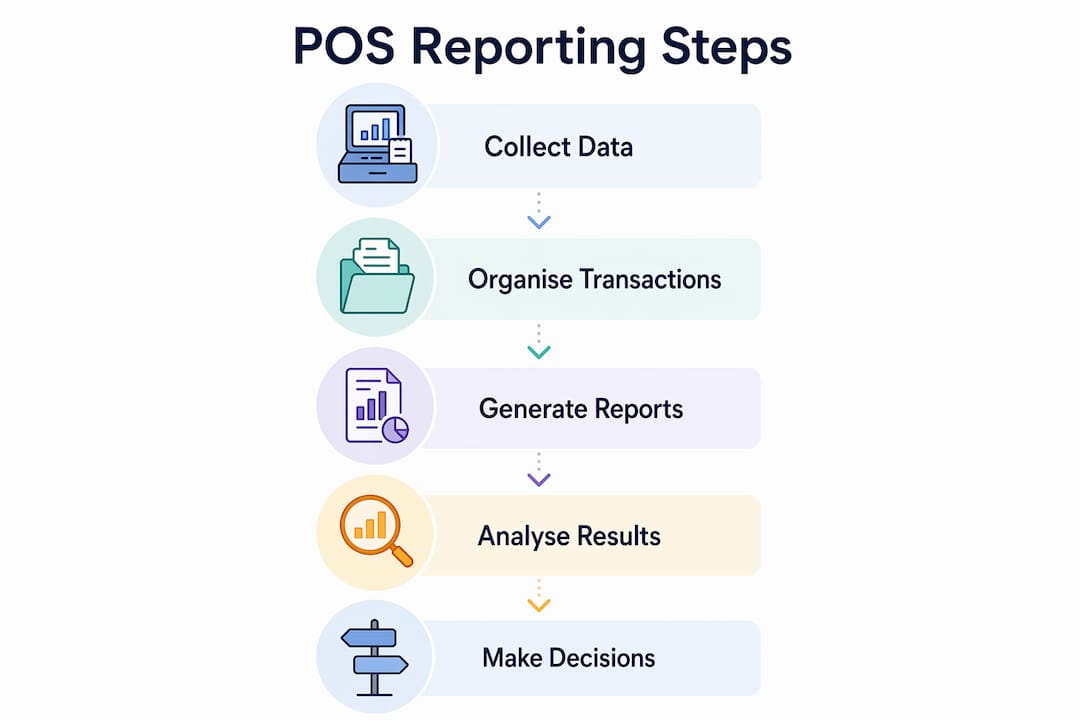
POS data reporting is the process of collecting, organising, and presenting sales and transaction data from a point of sale system to support business decisions. Systems like NetSuite, Lightspeed, and SAMTOUCH generate these reports automatically, giving retail and hospitality operators a clear view of gross sales, cash flow, and stock movement. Understanding POS data reporting is the difference between running your business on instinct and running it on evidence. This guide covers the key report types, timing considerations, links to related processes like POS data migration, and practical ways to use the data every day.
What is POS data reporting and what does it include?
POS data reporting is the structured output of transaction records captured at the point of sale, presented as summaries, totals, and breakdowns that operators can act on. The most common format is the Sales Audit Report, which runs automatically after till counting at the end of each business day or shift. NetSuite’s version of this report is a useful benchmark for understanding what a well-built POS report contains.
A standard Sales Audit Report includes gross sales totals, transaction counts, payment type breakdowns (cash, card, contactless), tax collected, refunds, and till overages. Operators can filter these figures by location, register, operator, or date range. That flexibility matters in multi-site retail or hospitality businesses where comparing performance across branches is a daily task.

One detail that catches many operators off guard: cancelled and suspended transactions are excluded from gross sales totals in most POS reporting systems. That means your headline sales figure does not tell the full story unless you check the supplementary transaction count columns. Knowing what your report excludes is just as important as knowing what it includes.
| Report Component | What It Shows | Why It Matters |
|---|---|---|
| Gross Sales Total | Revenue before refunds and discounts | Core trading performance indicator |
| Transaction Count | Number of completed sales | Tracks footfall and conversion |
| Payment Type Breakdown | Cash, card, contactless splits | Supports cash reconciliation |
| Refunds and Discounts | Value of returns and price reductions | Flags potential misuse or product issues |
| Till Overage or Shortage | Difference between expected and actual cash | Identifies counting errors or discrepancies |
Pro Tip: Always check which transaction types your POS system includes and excludes before using report totals for financial reconciliation. A mismatch between your POS gross sales figure and your bank statement is often caused by excluded transaction types, not an actual error.
How does timing affect POS reporting accuracy?
Timing is the most underestimated variable in POS data analysis. End-of-day reports run after till counting represent a snapshot of a defined business day, not a calendar day. If your business day runs from 6am to 2am the following morning, your POS report must reflect that boundary, not midnight.
The problem compounds when systems store timestamps in UTC rather than local time. POS journal log timestamps can be recorded in either local time or Coordinated Universal Time, and mixing the two creates mismatches in aggregated report totals. A transaction processed at 11:45pm GMT appears at a different date entirely when viewed in UTC during British Summer Time. For UK hospitality businesses running late-night shifts, this is a genuine operational risk.
The fix is straightforward but requires deliberate setup. Aligning time boundaries with your operational shifts, and confirming whether your POS stores data in local or UTC format, removes the most common source of reporting discrepancies. Do this once during system setup and document it clearly for your team.
Pro Tip: When reviewing POS reports across multiple locations or integrating with an accounting system, confirm the timestamp format your POS uses. Ask your supplier directly whether the system logs in local time or UTC, then set your report filters to match your operational business day, not the calendar day.
POS data reporting vs. data migration and VAT reconciliation
These three processes are related but serve different purposes. Confusing them leads to gaps in compliance and operational continuity.
POS data reporting is an ongoing operational process. It produces the daily, weekly, and monthly summaries that managers use to run the business. POS data migration is a one-time or periodic event that occurs when you switch or upgrade your POS system. VAT reconciliation is a compliance process that uses POS sales data as its primary source.
POS data migration requires careful backup of inventory records, customer data, sales history, and employee information before any system switch. The recommended approach follows a 3-2-1 rule: three copies of your data, stored in two different formats, with one copy kept off-site. Skipping this step during a system upgrade is the single most common cause of permanent data loss in retail operations.
Sales history presents a specific challenge during migration. Historical sales data often cannot be imported directly into a new POS system because of proprietary file formats. The practical solution is to export records as CSV files and store them externally. Those files remain accessible for tax and accounting purposes even when they cannot be loaded into the new system.
VAT reconciliation sits downstream of both processes. VAT reconciliation cross-checks the VAT collected and paid against submitted returns, using POS sales data as the source for output VAT figures. Automated consolidation tools reduce the manual effort involved and create a cleaner audit trail. The accuracy of your VAT return is therefore directly dependent on the accuracy of your POS reporting.
| Process | Scope | Primary Objective |
|---|---|---|
| POS Data Reporting | Daily and periodic operations | Sales visibility, cash reconciliation, performance tracking |
| POS Data Migration | System change or upgrade | Data continuity and operational stability |
| VAT Reconciliation | Periodic compliance | Accurate tax reporting and audit readiness |
Pro Tip: Connect your POS system directly to your accounting software using an API or integration layer. This removes the need to manually export and re-enter sales data for VAT returns, reducing errors and saving significant time at each quarter end.
How to use POS data for operational efficiency and growth
POS data analysis is most valuable when it feeds directly into operational decisions rather than sitting in a report that nobody reads. The businesses that extract the most value from their POS systems treat reporting as a daily management tool, not a monthly accounting exercise.
Accurate POS reporting enables better stock replenishment and shrinkage reduction. When your system records every item sold in near real-time, you can set automatic reorder triggers, identify slow-moving lines, and spot theft or wastage patterns before they become expensive. For a busy convenience store or restaurant, this alone justifies the investment in a well-configured POS setup.
Cash reconciliation is another area where daily POS reporting pays for itself. Comparing your POS cash total against the physical till count at the end of each shift identifies discrepancies immediately. A consistent shortage at a specific register or during a specific operator’s shift is a signal that warrants investigation. Without daily reporting, that pattern takes weeks to surface.
Staff scheduling benefits from transaction count data in a way that most operators overlook. Your POS records the number of transactions processed by hour, day, and week. That data shows you exactly when your busiest periods are, which is far more reliable than memory or intuition. Matching staffing levels to actual transaction peaks reduces both labour costs and customer wait times.
Best practices for routine POS data report reviews:
- Run end-of-day Sales Audit Reports every trading day without exception
- Compare cash totals against physical counts before closing each shift
- Review weekly sales trends by product category and payment type
- Use transaction count data monthly to refine staff rotas
- Export and archive monthly reports in CSV format for tax and audit purposes
- Integrate POS data with your accounting system to remove manual data entry
The role of POS in retail extends well beyond the till. When POS data feeds into an ERP or accounting platform like Xero or Sage, managers gain a consolidated view of trading performance, stock valuation, and cash position without switching between systems. That integration is where POS data reporting shifts from useful to genuinely competitive. You can also apply retail POS best practices to build consistent reporting habits across your entire operation.
Key takeaways
POS data reporting transforms raw transaction records into operational intelligence, and its value depends entirely on how consistently and accurately it is used.
| Point | Details |
|---|---|
| Define your report scope | Know which transaction types your system includes and excludes before using totals for reconciliation. |
| Align timing with operations | Set report boundaries to match your business day, not the calendar day, and confirm your timestamp format. |
| Separate reporting from migration | POS data migration is a one-time event requiring 3-2-1 backups; reporting is an ongoing daily process. |
| Connect POS to VAT and accounting | Accurate POS sales data is the foundation of reliable VAT reconciliation and financial reporting. |
| Use data to drive daily decisions | Apply transaction counts, cash totals, and stock movement data to staffing, ordering, and cash management. |
Why most businesses are still under-using their POS reports
After working with retail and hospitality operators across the UK for years, the pattern I see most often is this: businesses invest in a capable POS system, configure it adequately, and then use perhaps 20% of its reporting capability. The daily Sales Audit Report gets run because the accountant asks for it. The rest of the data sits untouched.
The real problem is not the system. It is the absence of a reporting routine. Operators who get genuine value from POS data analysis have built a habit around it. They look at transaction counts before writing the weekly rota. They check payment type splits before ordering change from the bank. They review refund totals weekly because they know it is the earliest signal of a product or staff issue.
The second mistake I see regularly is treating POS data migration as an afterthought. When businesses switch systems, they focus entirely on getting the new till working and forget to export and archive their historical data. Six months later, when HMRC asks a question about a prior VAT period, that data is gone. The 3-2-1 backup rule exists precisely because this scenario is so common.
My honest recommendation: start with one report, run it every day without fail, and act on what it tells you. The benefits of POS software only materialise when reporting becomes a discipline, not an occasional exercise.
— John
POS reporting solutions from Ycr

Ycr supplies POS software and hardware built specifically for UK retail and hospitality businesses that need reliable, detailed reporting from day one. SAMTOUCH POS software generates Sales Audit Reports, transaction summaries, and payment type breakdowns automatically, with filters by location, operator, and shift. TOUCHPOINT software is designed for hospitality environments where speed and end-of-shift reconciliation are critical. Both platforms integrate with compatible hardware including barcode scanners and card terminals to give you a complete, connected reporting setup. Contact Ycr to arrange a demonstration for your retail or hospitality site.
FAQ
What is POS data reporting in simple terms?
POS data reporting is the process of summarising sales, payment, and transaction data from your till system into structured reports. These reports help operators track revenue, reconcile cash, and monitor stock.
What reports does a POS system typically generate?
Most POS systems generate Sales Audit Reports, transaction summaries, payment type breakdowns, refund logs, and shift close reports. Systems like NetSuite and SAMTOUCH allow filtering by date, location, register, and operator.
What is POS data migration and how does it differ from reporting?
POS data migration is the one-time transfer of data when switching or upgrading systems, requiring backups of inventory, customer, and sales records. POS reporting is an ongoing daily process that produces operational summaries from your current system.
How does POS data support VAT reconciliation?
POS sales data provides the output VAT figures used in VAT reconciliation, cross-checking what was collected against what was declared. Accurate daily POS reporting makes this process faster and reduces the risk of errors in your VAT return.
Why do POS report totals sometimes not match bank statements?
Mismatches are most commonly caused by excluded transaction types such as cancelled or suspended sales, or by timestamp format differences between local time and UTC. Confirming your system’s report filters and timestamp settings resolves most discrepancies.